5 Stage Workflow to Automate Job Applications Without Losing Tailoring

Automating job applications works when you target the busywork, not the judgment calls: let software fill forms and draft tailored documents, but keep a human review step before anything gets submitted. The safest setup uses autofill or review-mode auto-apply with a daily cap and a minimum match score, never blind full-auto. Appliqu is built around exactly this pattern, pairing semantic matching with review-friendly submission.
TL;DR:
- Limiting automated applications to a daily cap and setting a minimum match score prevents spammy behavior and improves response quality.
- Using review-mode auto-apply strikes a balance by allowing tailored documents to be checked before submission, reducing mismatches.
- Building a comprehensive bullet bank and using AI-assisted tailoring significantly boosts conversion rates, with tailored responses yielding four times more interviews.
- Automation works best for applying to 15 or more roles weekly, especially when combined with targeted filtering and tracking metrics like response lag and interview rate.
- Full automation without human oversight risks platform penalties and damaging your reputation, so human review remains essential.
Table of Contents
- What Automation Actually Does (and Who Should Use It)
- How to Automate Personalized Job Applications: A Five-Stage Workflow
- Choosing and Configuring Your Automation Tools
- Where Automation Goes Wrong (and How to Stay Ahead of It)
- Putting the Workflow Into Practice With an AI Agent
- What Actually Works vs. What Sounds Good on Paper
- Try Appliqu's Automated Job Application System
- Sources
- FAQ
What Automation Actually Does (and Who Should Use It)
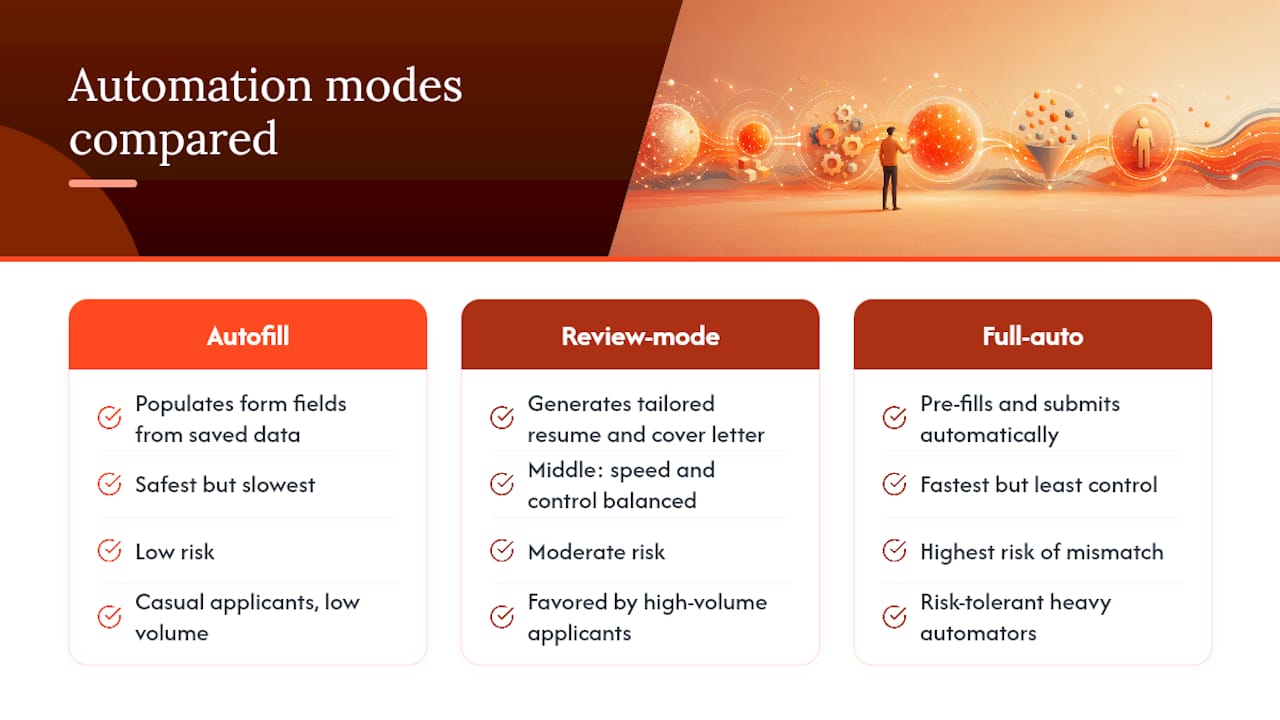
Job application automation splits into three modes, and the difference matters more than most guides admit. Autofill populates form fields from your saved data, but you still click submit. Review-mode auto-apply goes further: the tool generates a tailored resume and cover letter, pre-fills the entire application, and waits for your approval before sending it. Full-auto skips that last step entirely and submits on its own, which is where most of the trouble starts.
Each mode trades speed for control. Autofill is safest but slowest. Full-auto is fastest but carries the highest risk of sending a mismatched application to a recruiter who will remember your name for the wrong reason. Review-mode sits in the middle, and it's the mode most experienced high-volume applicants settle on.
The people who benefit most from any of this are job seekers applying to 15 or more roles a week, career changers testing multiple industries at once, and anyone who already keeps a modular set of resume bullets ready to reorder. If you're only applying to five jobs total, automation is overkill. If you're applying to fifty, it's close to required.
How to Automate Personalized Job Applications: A Five-Stage Workflow
A structured job application workflow consistently beats unfocused volume, because it turns a chaotic process into something you can measure and adjust. Five stages make up the system: targeting, preparation, tailoring, tracking, and follow-up.
- Targeting. Set your role filters and a minimum match score before you touch a single application. Shortlist 10 to 20 target employers you'd actually accept an offer from, and blacklist job boards or recruiters that have wasted your time before. This stage is where most people skip ahead, and it's exactly why their conversion rate stays flat.
- Preparation. Build one master CV, then break it into a bullet bank of 40 to 60 achievement statements covering different skills and outcomes. Draft 8 to 10 achievement profiles you can mix and match depending on the role, and keep a current LinkedIn snapshot ready for tools that pull from it.
- Tailoring. Run AI-assisted tailoring to generate role-specific resume and cover letter snippets, then use review-mode to check the output. Reorder your bullets so the top five match the job posting's stated priorities, not just its keywords.
- Tracking. Log the company, role, source, application date, which document version you sent, current status, and your planned follow-up date. Watch two numbers closely: application-to-interview rate and response lag.
- Follow-up and weekly review. Follow up on applications after 7 to 10 days if you haven't heard back, and set aside 20 minutes each week to review your metrics. If your conversion rate drops, that's your signal to pivot.
Tailored applications convert to interviews at roughly 7 to 9 percent, compared with 2 to 3 percent for generic submissions. That's a three to four times improvement, and it's the entire reason stages 2 and 3 exist.
Pro Tip: Build your bullet bank before you touch any automation tool. AI tailoring is only as good as the raw material you feed it, and a thin set of achievements produces thin, repetitive output no matter how good the software is.
Choosing and Configuring Your Automation Tools
Automation tools fall into a few clear categories, and picking the wrong one for your situation is the single most common setup mistake.
- Autofill extensions save time on repetitive fields but do nothing for tailoring.
- AI tailoring assistants rewrite your resume and cover letter per job without touching submission.
- Review-mode agents combine both: they draft, pre-fill, and pause for your approval.
- Full-auto agents submit without a pause, which maximizes volume at the cost of control.
- Local or offline bots, often open-source scripts, give you full control but need constant maintenance since platform changes routinely break them.
- Trackers don't apply for you at all; they just keep your pipeline organized.
Whichever category you choose, four settings determine whether it helps or hurts you: your match-score threshold, your daily application cap, a blacklist and whitelist of sources, and whether review mode is on by default. Combining on-page autofill with match-score insights and AI-driven tailoring can cut the time per tailored application from around 10 minutes down to a few, without sacrificing personalization.
Platform coverage varies more than people expect. LinkedIn Easy Apply, Indeed Quick Apply, and simple career-site forms are reliably auto-fillable. Multi-step application portals, JavaScript-heavy forms, and CAPTCHA-protected pages break automated tools constantly and usually need a manual fallback. On security, prefer tools that process sensitive credentials locally rather than in the cloud where possible, and use a dedicated app password for job-board logins instead of saving your main password inside a generic browser autofill tool.
Where Automation Goes Wrong (and How to Stay Ahead of It)
A TechCrunch reporter applied to 2,843 jobs using AI, an experiment that shows both what's technically possible and what happens when volume outpaces judgment: platform operators and recruiters notice unusually high application counts, and outcomes suffer without any human checkpoint. Analysts have also warned that AI-powered mass application tools can produce spam-like behavior, flooding recruiters with mismatched submissions that hurt your reputation more than a slower, targeted approach ever would.
A few guardrails keep automation from tipping into spam:
- Cap your daily applications and require a minimum match score before anything gets sent.
- Route any marginal match into human review instead of letting it go automatically.
- Never use automated outreach to message hiring managers unless you have a genuine connection to reference.
- Watch for rate-limit errors or repeated rejections, and back off rather than pushing through them.
Pro Tip: If your interview rate drops for two weeks straight, stop scaling and fix your targeting or CV alignment first. Adding more volume to a broken funnel just produces more silence, faster.
Putting the Workflow Into Practice With an AI Agent
An AI job application tool can map directly onto the five-stage workflow rather than replacing it with something unfamiliar. A semantic matching engine, which reads the full job description instead of just scanning for keywords, functions as the targeting stage. Tailored resume and cover letter generation covers preparation and tailoring once you provide a solid profile. Automated form filling, run in review mode, can handle submission without skipping your approval. A built-in application dashboard covers tracking, and scheduled reminders support follow-up cadence.
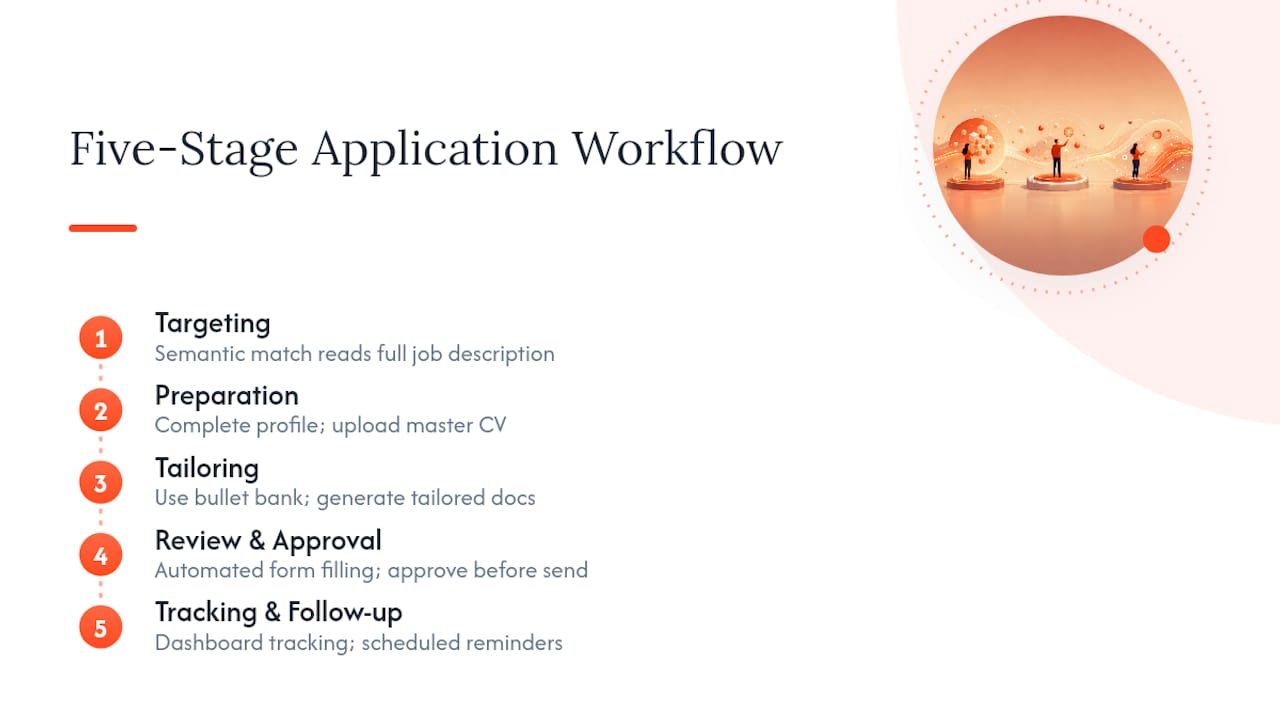
A practical setup checklist looks like this: complete your profile and upload a master CV, add your bullet bank so the tailoring engine has real material to work with, set your match threshold, turn on review mode with a daily cap, and put a 20 minute weekly review on your calendar. None of this replaces judgment. It just removes the repetitive parts that were never a good use of your judgment in the first place.
What Actually Works vs. What Sounds Good on Paper
Full automation sounds appealing until you've watched someone send the same generic cover letter to 200 companies and get three replies, all rejections. Meanwhile, applicants who spend one focused hour building a bullet bank before automating anything tend to see faster, better results with a fraction of the total submissions.
Do: prepare modular resume assets before you automate, set a daily cap, review AI-generated output before it goes out, and track your numbers weekly. Don't: auto-apply to every posting that technically matches, skip follow-ups because the tool didn't remind you, or ignore a platform's rate limits until your account gets flagged. The workflow, not the software, is what separates people who land interviews from people who just generate application counts.
Alex
Try Appliqu's Automated Job Application System
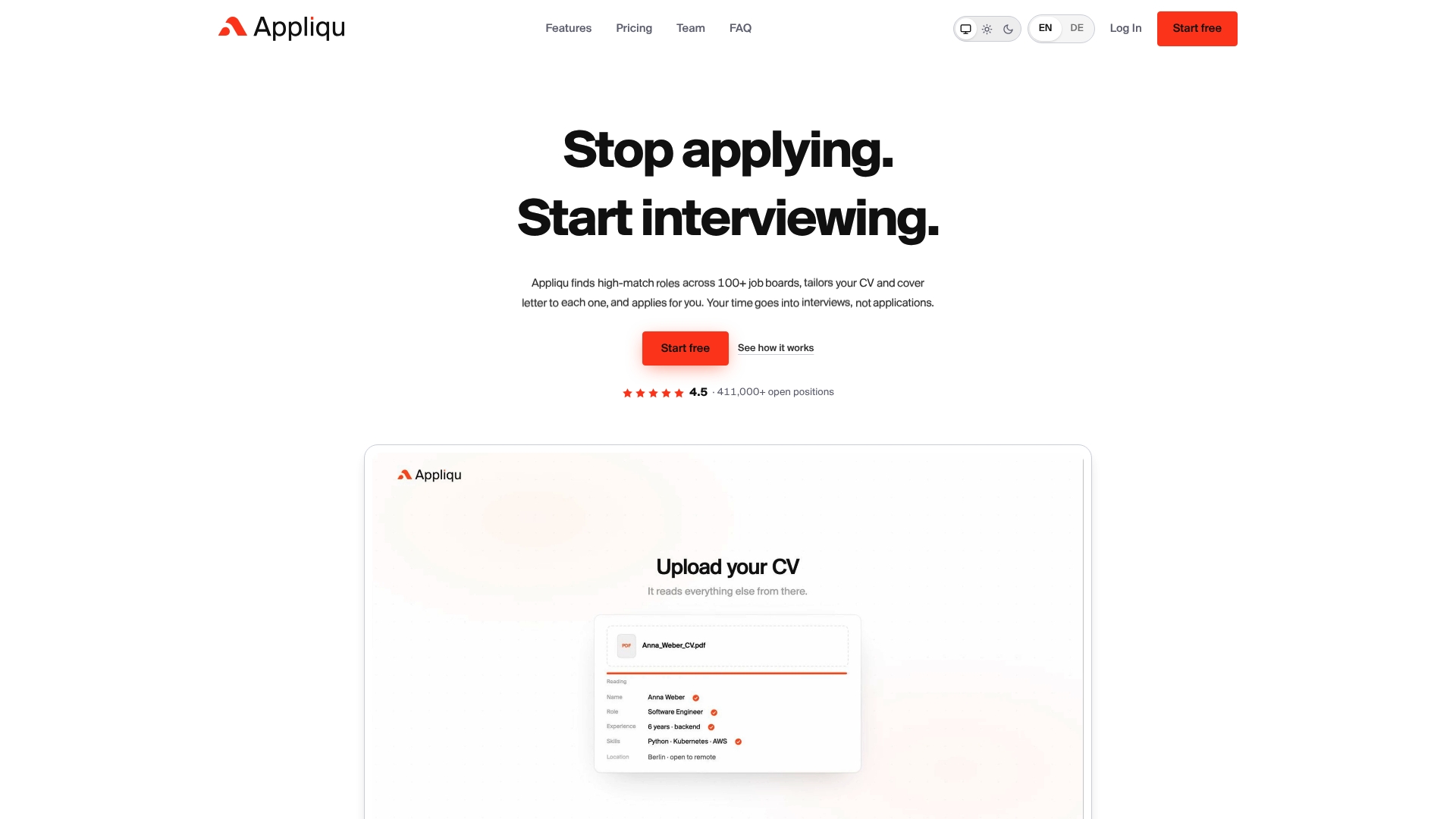
This kind of automated job application system can scan over 100 job boards around the clock, use semantic matching to judge whether a listing fits your background, generate a tailored resume and cover letter for each one, and fill out the application for your review before submission.
If you're applying to more roles than you can personally tailor each week, this is where automation earns its place: it does the repetitive research and drafting so you spend your time on interview prep instead of retyping the same work history into forty different forms. Start by creating your profile, uploading your master CV, and setting your match threshold and review mode preferences. From there, you can sign up for Appliqu and see your first batch of matched, tailored applications within a day.
Sources
- A reporter used AI to apply to 2,843 jobs
- AI is enabling job seekers to think like spammers
- Job application workflow: stop wasting applications
FAQ
Is It Safe to Automate Job Applications?
Yes, as long as you use autofill or review-mode tools with a daily cap and a minimum match score rather than a full-auto tool that submits without your approval.
What's the Difference Between Autofill and Auto-Apply?
Autofill populates form fields but requires you to click submit, while auto-apply tools like Appliqu generate tailored documents and can submit automatically or wait for your review, depending on your settings.
How Many Jobs Should I Apply to Per Day With Automation?
There's no universal number, but most experienced users set a conservative daily cap and raise it only after confirming their tailored applications are converting to interviews.
Can Automated Applications Hurt My Chances With Recruiters?
Yes, unconstrained mass applications can read as spam to recruiters and even trigger platform scrutiny, which is why a minimum match score and human review matter more than raw volume.
Do I Still Need to Tailor My Resume If I'm Using Automation?
Yes, tailored applications convert to interviews at roughly 7 to 9 percent versus 2 to 3 percent for generic submissions, so automation should handle the busywork while tailoring quality stays intact.