3 Safe Job Search Automation Approaches for German Candidates

Start with an AI copilot: something that finds roles, drafts tailored applications and waits for your approval before sending. Reserve full auto-apply for standardised, high-volume roles where speed matters more than nuance. Automation earns its keep in three places: discovery, tailoring and tracking. Get those right first, then decide how much sending you want to hand over.
TL;DR:
- Auto-apply tools are best for high-volume, standardized roles but carry a higher risk of generic applications and lower quality.
- Copilot automation offers a balanced approach by preparing tailored applications that require human approval before submission.
- Tracking and automation pipelines can streamline discovery and follow-up but need careful setup to comply with platform rules and avoid blocks.
- Using filters to restrict applications scoring 8 or above helps ensure quality and saves time by prioritizing suitable roles.
- Human review remains essential for tailored CVs and sensitive roles, especially when discretion or customization is critical.
Table of Contents
- What is job search automation, and which approach should you pick?
- How does job search automation actually work?
- Which tools and workflows can you set up today?
- A step-by-step starter workflow for automated applications
- What risks and platform rules should you check first?
- Which level of automation fits your situation?
- How Appliqu builds safe automation into every plan
- Alex's perspective: when to step in and check the work
- Getting started with Appliqu
- Sources
- FAQ
What is job search automation, and which approach should you pick?
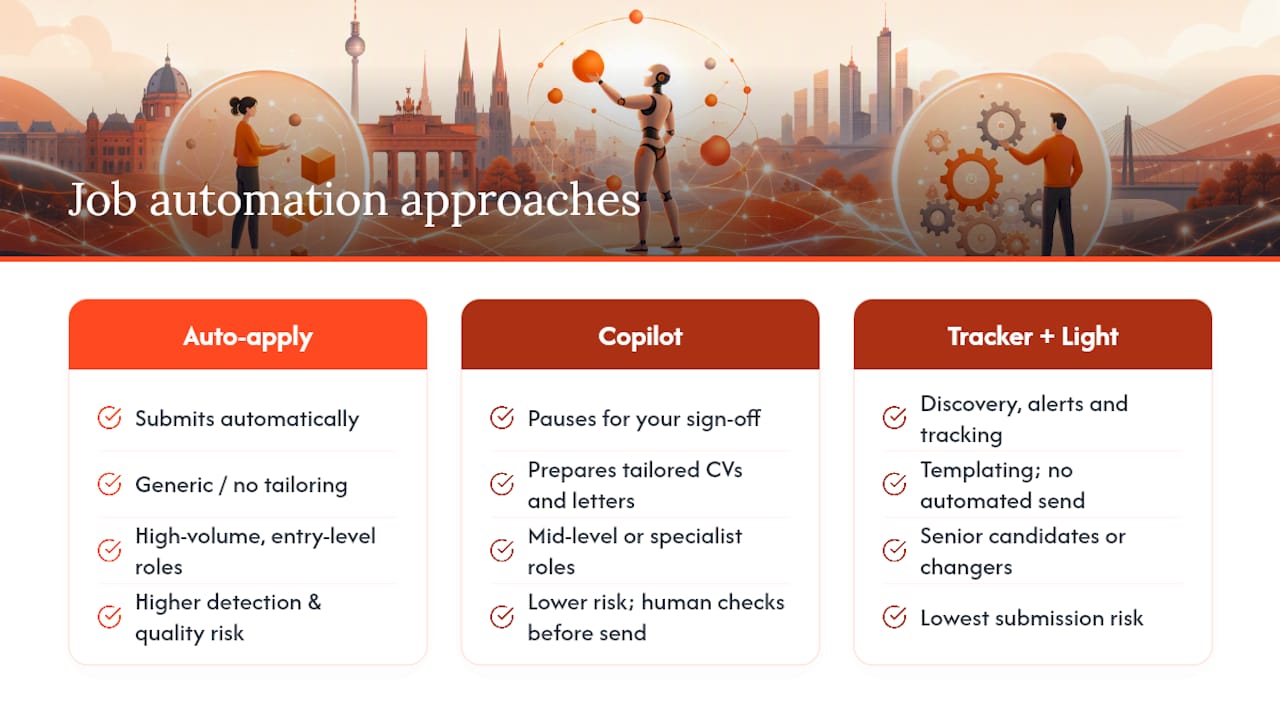
Job search automation covers any tool or workflow that removes manual, repetitive work from finding and applying to roles. Three distinct approaches dominate the field, and picking the wrong one wastes more time than it saves.
Auto-apply submits applications on your behalf, often across dozens of job boards at once. It suits standardised, high-volume roles such as warehouse work, retail, or entry-level customer service, where forms are simple and employers expect volume. The trade-off is a higher detection and quality risk, since a generic application can slip through for a role that deserved a tailored one.
Copilot automation runs in your browser, prepares tailored CVs and cover letters, then pauses for your sign-off before anything goes out. This gives the best balance for most professionals, particularly in mid-level or specialist roles where each application needs a human check.
Tracker plus light automation focuses on discovery, alerts and templating rather than submission. It suits senior candidates, career changers, or anyone who wants efficiency without handing over the "send" button.
How does job search automation actually work?
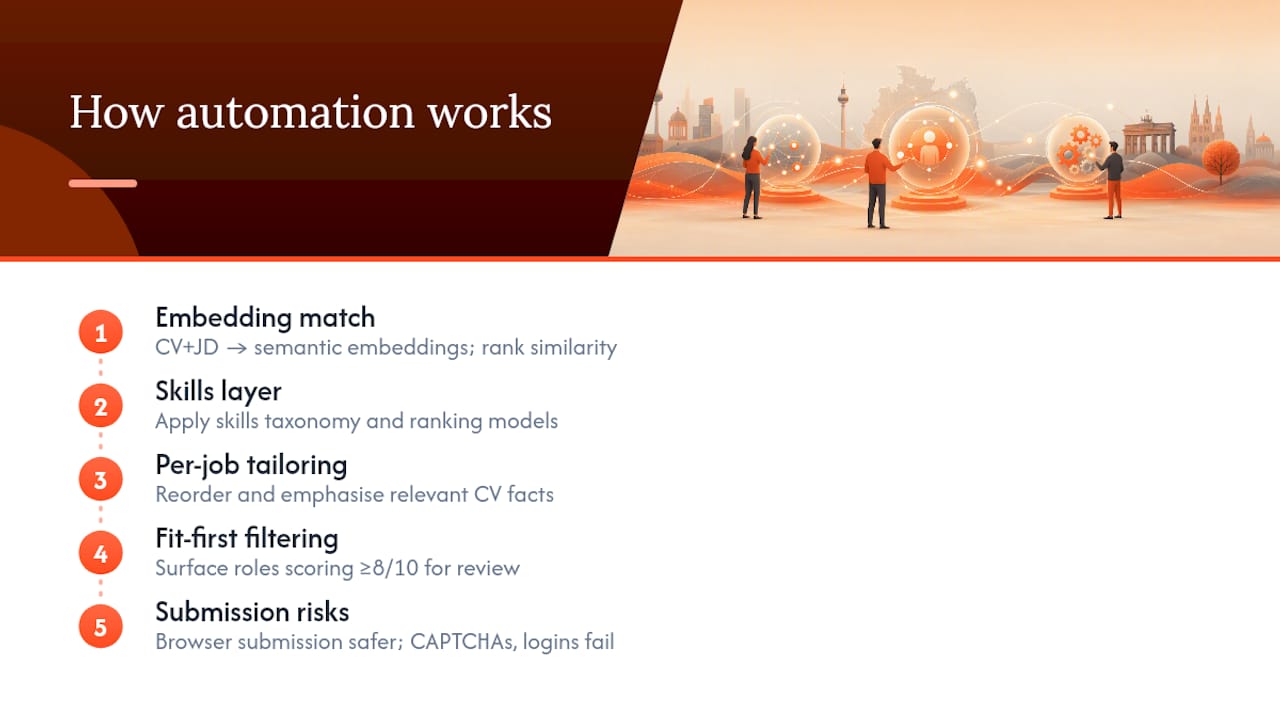
Matching engines convert your CV and each job description into embeddings, mathematical representations of meaning rather than keywords, then rank roles by similarity. This is how AI job matching surfaces a "data analyst" role even when your CV says "reporting specialist." Better systems layer skills taxonomies and ranking models on top of raw embeddings to sharpen the fit score.
Per-job tailoring works by rearranging and emphasising facts already on your CV, not inventing new ones. A well-built system highlights the three skills a specific posting cares about and quietly downplays the rest.
Fit-first filtering: a sensible default is to surface only roles scoring 8 out of 10 or higher for manual review, saving automated sending for roles with simple, standardised application fields.
Browser-based submission, where the automation runs from your own device, tends to carry lower platform-detection risk than large-scale cloud submission. CAPTCHAs, login walls and inconsistent ATS form fields remain the most common failure points regardless of which method you choose.
Which tools and workflows can you set up today?
Five tool categories cover most of what job search automation tools currently do:
- Job matchers that score fit against your profile across multiple boards.
- CV-tailoring services that adjust wording and emphasis per posting.
- Auto-fill browser extensions that populate application forms from a saved profile.
- Automation platforms (n8n, Zapier) that connect several tools into one pipeline.
- Trackers that log status, deadlines and follow-up dates.
A common DIY recipe strings several of these together: pull listings from LinkedIn, deduplicate them in a spreadsheet, score each against your profile, draft a cover letter for the top matches, then queue everything for manual review. Documented n8n workflows do exactly this using Google Sheets as the dashboard, which keeps the whole process visible and editable.
Zapier-style automations handle the communication side: routing recruiter emails into labelled folders, sending canned acknowledgement replies, or flagging follow-up tasks after a set number of days. Community threads on platforms like Reddit show job seekers building similar low-cost pipelines themselves, with mixed but generally positive results.
Pro Tip: Before adopting any tool, confirm it supports German-language postings, accepts a Euro payment method, and actually indexes local portals rather than only English-language boards.
A step-by-step starter workflow for automated applications
Setting up job search automation properly takes under an hour and pays back within the first week.
- Complete your profile fully. Parsers read dates, company names, exact job titles and skills; gaps here weaken every match downstream.
- Set narrow search queries covering job title variants, seniority level and location radius, rather than one broad keyword.
- Choose a conservative score threshold, such as 8/10 or above, before anything reaches your review queue.
- Pick your mode. "On approval" keeps a human check on every send; Autopilot only makes sense for roles with simple, standardised forms.
- Build a per-application checklist: confirm the company is legitimate, check you meet the essential qualifications, and verify attachments are correct before sending.
- Run a daily routine: review high-fit matches each morning, approve or send, then schedule follow-ups for anything past seven to ten days without a reply.
What risks and platform rules should you check first?
Automation risk splits into two categories: platform enforcement and personal safety.
- Read the job board's Terms of Service before automating anything; some explicitly restrict scraping or automated submission.
- Verify unfamiliar postings against a company's real domain and contact details; unusual requests for payment or personal banking information are a scam signal.
- Respect rate limits. Sending too many applications too fast from one IP address is the fastest way to trigger a platform block, which is why browser-based copilot mode tends to draw less scrutiny than cloud-based bulk submission.
- Consider whether recruiters can tell an application was AI-assisted, and keep your edits truthful rather than fabricated.
- Under the EU AI Act and general data protection rules, any system processing your personal data at scale should have clear, checkable privacy practices; read how auto-apply legality works in your market before switching on full automation.
Which level of automation fits your situation?
The right setting depends on how standardised your target role is, how many applications you realistically need to send, and how sensitive the search is.
- Use copilot automation if you're applying to specialist, mid-level or senior roles where each cover letter needs a genuine human read before sending.
- Try limited auto-apply only for high-volume, standardised roles with simple forms, such as retail, hospitality or entry-level administrative work.
- Avoid heavy automation if you're negotiating a visa-sponsored move, an executive search, or any role where discretion and a bespoke approach matter more than speed.
- Treat automation as a red flag for pausing if a tool cannot show you what it's sending before it sends it.
How Appliqu builds safe automation into every plan
Appliqu reads the full job posting rather than matching on keywords alone, comparing your profile against roles across more than 100 job boards using semantic matching.
- Explorer is a permanent free tier; Appliqu writes 5 applications so you can see the quality before deciding on anything paid.
- Core (€29.90/month, including 19% VAT) starts actual sending with a limited number of applications.
- Pro (€69.90/month) includes more applications and adds the Appliqu Job Board.
- Concierge (€199/month) offers unlimited applications plus a senior consultant session.
Every plan runs in "on approval" mode or Autopilot, so you decide how much oversight you keep. For deeper reading on tailoring and legality, see how CV tailoring works and comparisons of cover letter tools versus job agents.
Alex's perspective: when to step in and check the work
Copilot mode earns its place on anything above entry-level; Autopilot is fine once you trust the fit score and the form is simple. The lesson that took longest to learn: a tailored CV still needs a human skim before it goes anywhere near a hiring manager, because automation catches patterns, not judgement. One habit worth stealing: review your queue once, first thing, before your inbox pulls you elsewhere.
Alex
Getting started with Appliqu
Appliqu is the practical alternative to piecing together your own n8n and Sheets pipeline for job search automation: one profile, semantic matching across 100+ boards, and tailored materials generated automatically, without you having to wire up the tools yourself.
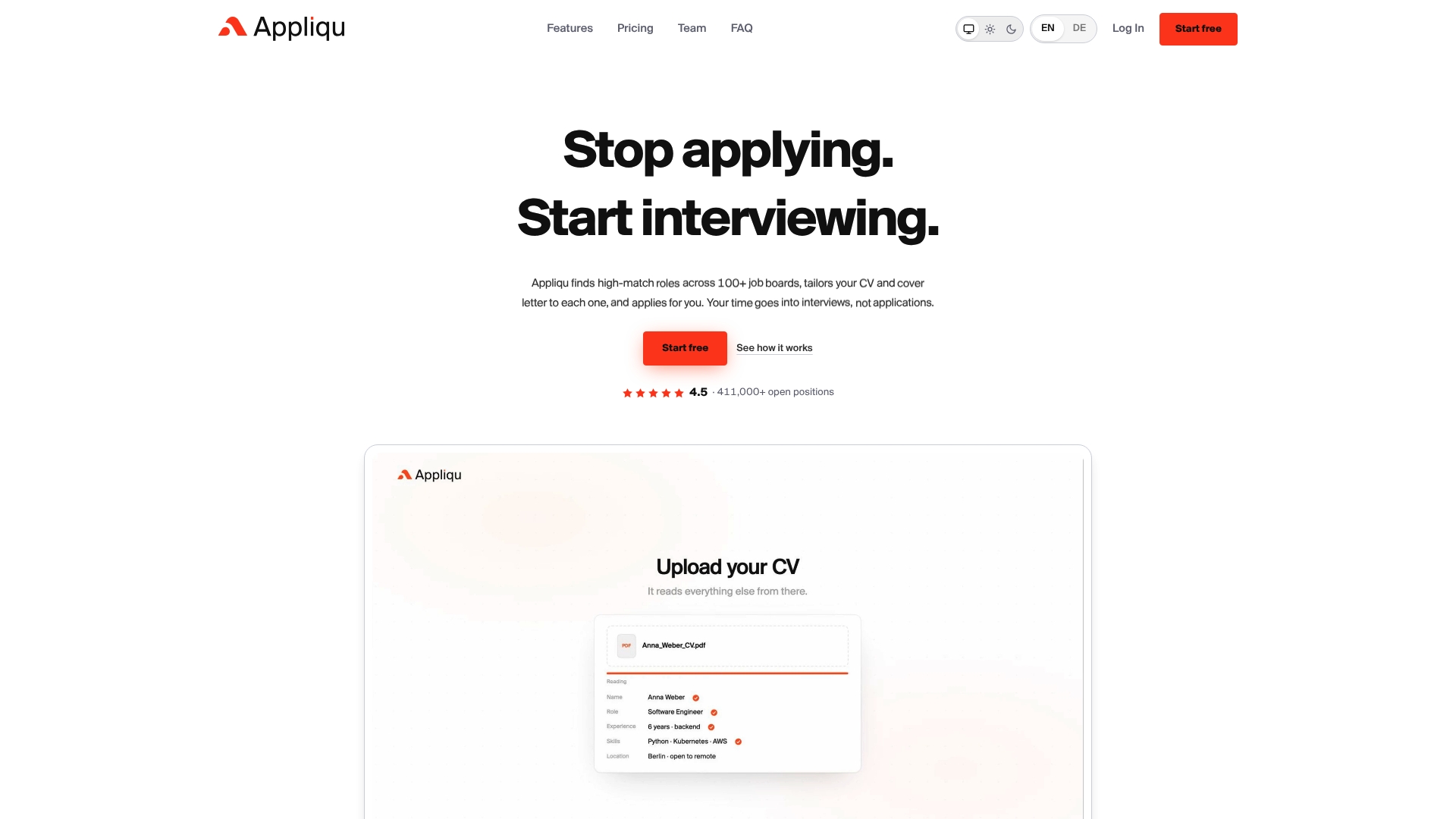 Start on Explorer, the permanent free tier, where Appliqu writes 5 applications so you can judge the quality of the matching and the tailoring before spending anything. If the results hold up, move to Core at €29.90/month (19% VAT included) for a set number of sent applications, or Pro at €69.90/month for a higher application limit plus access to the Appliqu Job Board. Anyone applying at volume with limited time for review should consider Concierge at €199/month, which includes unlimited applications and a senior consultant session. Every tier lets you choose "on approval" or Autopilot, so the level of control stays yours. Create your profile on the Appliqu landing page and compare what each plan unlocks before deciding where to start.
Sources
- AI auto-apply for jobs: Are these tools worth it in 2026?
- Automate job search with LinkedIn, Google Sheets & AI
- AI job matching explained: how AI job matching works in 2026
- AI job search tips: 9 AI tools to help you land your next job
FAQ
How can I automate a job search?
Combine three layers: a discovery tool that pulls matching listings, a tailoring step that adjusts your CV and cover letter per posting, and either manual review or automated sending for the final step. Start with review-first "on approval" automation, like the mode Appliqu offers, before trusting any tool to send unsupervised.
What is the best job search app for use in Germany?
The right choice depends on whether you need bulk sending or careful, tailored applications. Appliqu covers this by scanning over 100 job boards with semantic matching and offering plans from a free Explorer tier through to unlimited Concierge sending with consultant support.
Is there an AI for job search?
Yes. AI-driven job matching converts CVs and postings into embeddings to rank fit, and tools built on this approach now handle discovery, tailoring and, in some cases, submission. Google even runs a course on using AI to plan a job search, reflecting how mainstream the practice has become.
What jobs will be gone by 2030 due to AI?
Estimates of job losses vary widely depending on the source and methodology used. Roles built entirely on repetitive data entry or basic form processing face the clearest pressure, while jobs requiring judgement, negotiation or hands-on skill remain comparatively insulated.