Multi Job Board Search for Job Seekers: 100+ Boards, ATS Friendly Apps

A multi job board search finds matching roles across many job portals, tailors each CV and cover letter to each specific posting, and automates submission and tracking. Appliqu is a practical example of this approach already available to job seekers. This article explains the features to look for, how to keep quality high while applying at scale, the ATS rules automated documents must follow, and the tracking routine that prevents lost applications.
TL;DR:
- Using semantic matching improves your chances of qualifying for roles, reducing irrelevant leads and focusing applications on well-fit vacancies.
- Filtering by role, seniority, and salary before automating submissions ensures relevance and prevents spammy applications.
- Creating ATS-compatible documents without graphics or unusual layouts increases the likelihood your CV and cover letter pass initial automated screenings.
- Tracking applications in a dedicated system and reviewing matches weekly helps avoid duplicate submissions and keeps follow-up organized.
- Starting with manual review of matched roles before enabling automation minimizes mismatches and maximizes application quality.
Table of Contents
- What a multi job board search service actually does
- How to scale applications without losing relevance
- ATS‑friendly CV and cover‑letter rules for automated tailoring
- Simple tracker and follow‑up routine for multi‑board searches
- Typical timeline from search set-up to application completion
- Criteria for selecting the best multi job board search platform
- Common pitfalls and red flags in multi job board search services
- Integration with personal job search workflow and calendars
- Realistic expectations and a low‑risk way to test automation
- How Appliqu puts multi job board search into practice
- FAQ
- Sources
What a multi job board search service actually does
A multi job board search is not a single search bar connected to many sites. It is a coordinated process: scanning over 100 job boards, matching your profile against each vacancy, generating a tailored CV and cover letter for every match, submitting the application, and recording its status.
The matching step matters most. Simple keyword matching checks whether your CV contains the same words as the job title. Semantic matching reads the whole job description, the required qualifications, the tone of the listing and the seniority implied, then judges fit the way a recruiter would. This distinction decides whether you receive forty barely relevant leads or forty roles worth applying to.
Two submission modes give you different levels of control:
- On approval: every tailored application is generated and shown to you before it goes out.
- Autopilot: matched applications are sent automatically once your filters and preferences are set.
After each send, you should receive a copy of the tailored documents, a confirmation that the application reached the employer or portal, and a status you can check without re‑opening the original job advert.
How to scale applications without losing relevance
Volume without filters produces noise. The fix is not fewer applications, it is stricter rules before any application goes out.
- Set role‑fit filters on job title, seniority level and contract type so irrelevant postings never reach the matching stage.
- Limit automated sending to vacancies that meet your must‑have criteria, not your nice‑to‑have wishlist.
- Start on "on approval" mode for your first batch, review what gets matched, then move to Autopilot once the matching proves accurate.
- Reserve Autopilot for roles that pass every filter automatically; keep borderline matches on manual review.
Before you let any vacancy go into a bulk send, check it against a short list: does it name your core skills explicitly, does it state a salary range or band, is the commute or remote arrangement workable, and is the closing date still open. A vacancy that fails two or more of these is better reviewed manually or skipped.
Pro Tip: Run your first week on "on approval" mode only. Seeing what the matching sends you is the fastest way to judge whether your filters are tight enough before you switch to Autopilot.
ATS‑friendly CV and cover‑letter rules for automated tailoring
Automated tailoring only helps if the resulting documents clear the applicant tracking systems employers use to screen CVs. Many employers rely on these systems, so documents built with graphics, logos, text boxes or unusual layouts risk being misread or rejected before a person ever sees them, according to Prospects' guidance on AI and ATS.

Prospects notes that compatible file formats, plain text structure and achievement‑based bullets with embedded keywords give a CV the best chance of passing automated filters. That single principle should govern how any tailoring process builds your documents.
Practical rules to apply:
- Avoid graphics, photos and decorative formatting; ATS software generally cannot read them.
- Write bullets around achievements, not duties, and name qualifications exactly as the job description or your certificate states them, a step Prospects' CV guidance also recommends.
- Let keyword extraction pull relevant terms from the job description and place them naturally inside sentences, never as a dense list bolted onto the bottom of the page.
- Check the employer's stated file format preference; default to DOCX when none is given, and name the file clearly with your name and the role title.
Employers do not always disclose when they use AI in screening. Where it feels appropriate, asking an employer directly about their use of automated screening is a reasonable question, and you can read more on what that disclosure gap means for applicants in our note on whether recruiters can tell you used AI.
Simple tracker and follow‑up routine for multi‑board searches
Applying across several boards multiplies the chance of losing track of what you have sent, to whom and when. A lightweight tracker fixes this, as described in one job seeker's account of applying to 47 jobs in six weeks and losing track of all of them.
- Record the employer name, exact role title, platform used, and the vacancy reference number for every application.
- Log the date applied, current status, and the next action needed, whether that is a follow‑up email or simply waiting.
- Add a notes field for anything specific to that application, such as a contact name or a particular requirement you addressed.
- When the same vacancy appears on more than one board, treat it as a single vacancy, choose one application route, and record which route you used, following the duplicate‑avoidance approach Gumtree recommends for job seekers using several platforms at once.
- Set saved searches and alerts on your chosen boards so you are notified of new matches rather than re‑searching manually.
Review your tracker weekly rather than daily; a short, consistent check catches overdue follow‑ups without turning job searching into a constant refresh habit. For a closer look at manual spreadsheets versus automated tracking, see our comparison of job application trackers and automated systems.
Typical timeline from search set-up to application completion
Setting up a multi job board search usually takes longer on day one than on any day after. You spend the first session building your profile: core skills, preferred titles, locations or remote preference, and salary expectations. That initial setup determines how accurate your first batch of matches will be.
Once filters are in place, matching against 100+ boards runs continuously rather than on a schedule you control manually, surfacing new vacancies as they appear. Reviewing a day's matches on "on approval" mode typically takes a few minutes per role, since the CV and cover letter are already tailored and ready for a final check rather than a first draft.
The gap between seeing a match and submitting the application should be short once your filters are reliable: most of the delay is in your review, not in document generation. Switching to Autopilot for well‑matched roles removes that review step entirely for vacancies that meet every filter.
The slower part of the timeline is not application submission, it is waiting for employer responses, which are entirely outside the reach of any search or tailoring process. A realistic expectation is that the search and submission side of job hunting becomes fast within the first week, while response timing remains the employer's decision.
Criteria for selecting the best multi job board search platform
Choosing between services comes down to a short set of practical checks rather than marketing claims.
Coverage matters first: does the service search a genuinely broad set of boards, including both generalist and specialist platforms relevant to your field. Matching quality matters more than coverage alone: semantic matching that reads full job descriptions produces better fit than keyword matching that only scans titles.
Control over submission is the next check. A service should let you choose between manual review and automated sending, rather than forcing one mode on every application. Document quality deserves a close look too: request or review a sample tailored CV and cover letter before committing, and check that the formatting is ATS‑compatible rather than decorative.
Tracking functionality should give you, at minimum, status per application and a record of where each one was sent, so you are not rebuilding a spreadsheet alongside the service. Finally, check how pricing scales: a service with a free tier or low entry point lets you test matching accuracy before paying for volume, while higher tiers should clearly justify their cost through application limits or added features such as consultant support.
None of these criteria require taking a provider's word for it; most can be checked with a short trial batch of applications reviewed manually before you decide to automate further.
Common pitfalls and red flags in multi job board search services
The most common mistake is treating volume as the goal. Prospects' commentary on AI in job applications is direct on this point: quality should lead quantity, since tailored applications outperform mass, untargeted sending, and no single tool captures every vacancy, according to Prospects' AI and applications guidance. A service that only promises a high number of sends without describing how it matches roles is worth questioning.
Watch for a few specific red flags:
- No visible distinction between manual review and automated sending, which removes your ability to catch a poor match before it is sent.
- Generic, unedited cover letters that repeat the same phrasing across different roles, a sign the tailoring is superficial.
- No tracking or status visibility after submission, leaving you to monitor applications manually anyway.
- No mention of file format or ATS compatibility, which risks documents being filtered out before a person reads them.
Duplicate submissions are a quieter but real risk: applying to the same vacancy through two different boards can create confusion for the employer or agency about which application is current. Gumtree's guidance on using several job platforms recommends choosing one application route per vacancy and saving the advert rather than applying twice.
Integration with personal job search workflow and calendars
A multi job board search works best as one part of a wider routine, not a replacement for every job search activity. Networking, direct applications to companies you are specifically targeting, and speculative outreach still have a place alongside automated matching.
Calendar integration matters for two things: scheduling your review sessions and tracking follow‑up timing. A short, recurring calendar block, for instance fifteen minutes each morning, works better for reviewing new matches than an open‑ended habit of checking throughout the day. The same applies to follow‑ups: set a calendar reminder a sensible interval after applying rather than guessing when to chase.

Your tracker and calendar should talk to each other in practice even if they are not literally connected: a next action logged in your tracker becomes a calendar entry, and a calendar reminder for a follow‑up gets closed out by updating the tracker status. For readers who want a broader sense of which boards to include before setting any of this up, our overview of the best job boards in 2026 is a reasonable starting point. Keeping saved searches, your tracker and your calendar aligned is what prevents a multi‑board approach from becoming three separate systems you have to manage by hand.
Realistic expectations and a low‑risk way to test automation
Automation multiplies your reach. It does not replace the judgement that decides whether a role is actually worth applying for. Treat it as a multiplier on well‑chosen targets, not a way to avoid choosing targets at all.
Two caveats are worth holding onto. Employers do not always disclose when they use AI to screen candidates, so it is reasonable to ask, and every tailored document still benefits from a human check for tone, accuracy and unintended bias before it goes out.
A sensible first experiment is small: prepare and review five tailored applications manually before switching any part of the process to automatic sending. That is enough to judge whether the matching and tailoring are accurate for your field.
Alex
How Appliqu puts multi job board search into practice
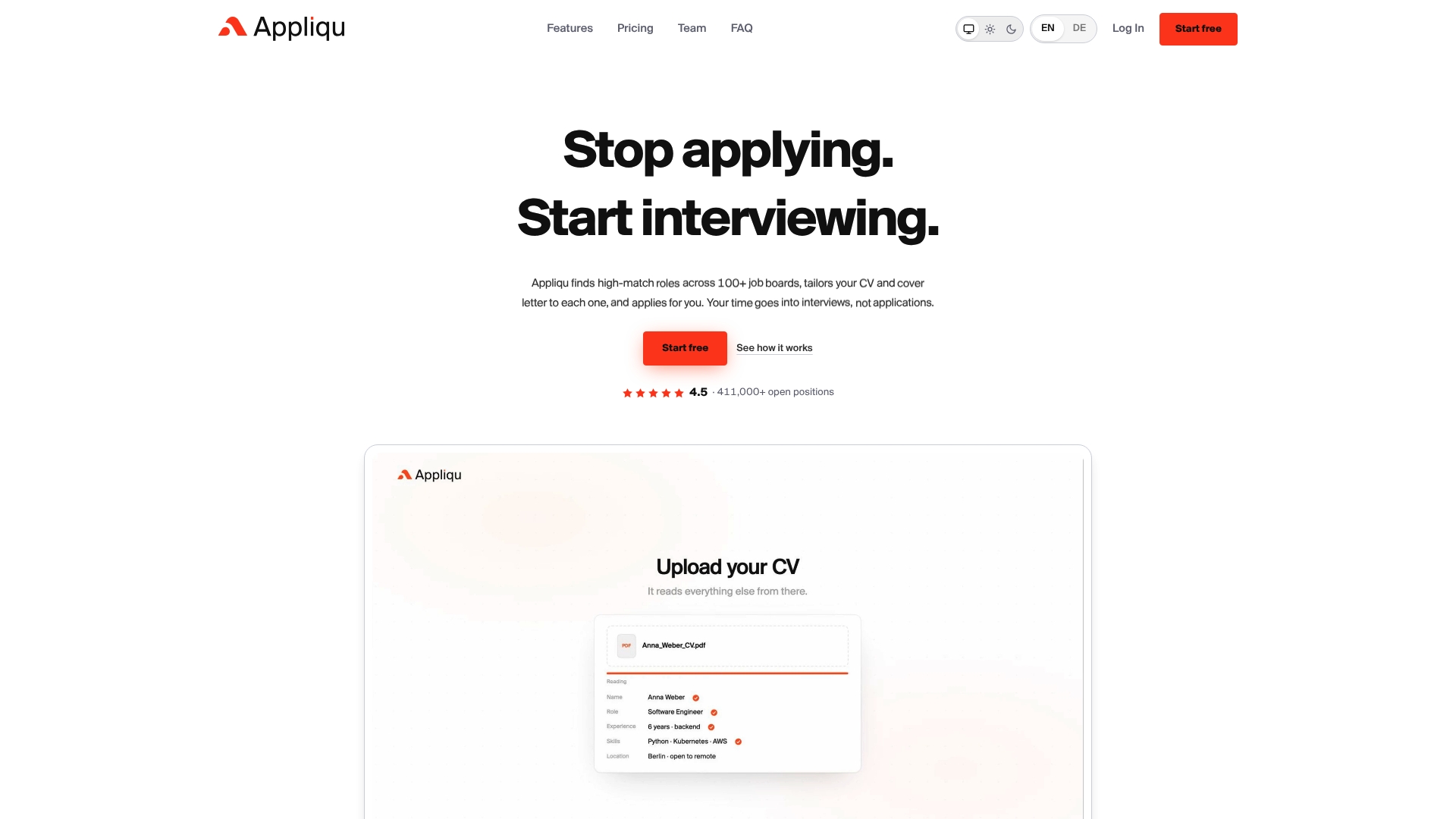
An example service searches many job boards, applies semantic matching to judge fit against the full job description, and generates a tailored CV and cover letter for each matched role. Submission runs in either "on approval" mode, where you check every application before it sends, or Autopilot, where matched applications go out automatically.
Appliqu's plans fit different stages of a job search:
- Explorer: a permanent free tier where Appliqu writes five tailored applications for you to review.
- Core: 29.90 EUR per month, including VAT, for 100 applications and the point where sending begins.
- Pro: 69.90 EUR per month, including VAT, for 300 applications plus access to the Appliqu Job Board.
- Concierge: 199 EUR per month, including VAT, for unlimited applications plus a senior consultant session.
A practical starting path: begin with Explorer or review the five applications Appliqu writes for you, check the tailoring quality against your own standards, then move to Core once you are ready to start sending at scale. From there, Pro and Concierge scale up application volume and support as your search grows. Visit Appliqu to see current plan detail and get started.
FAQ
What does a multi job board search actually search?
It searches job postings across many portals at once, typically more than 100, rather than requiring you to check each site individually. Appliqu, for example, searches over 100 job boards and matches roles against your profile using semantic analysis of the full job description.
How do I avoid applying to the same job twice across different boards?
Save the vacancy the first time you see it, then choose a single application route rather than applying through every board where it appears. This approach, recommended in Gumtree's guidance on using several job platforms, keeps your tracker accurate and avoids confusing the employer with duplicate submissions.
What file format should my CV be in for ATS systems?
Check the employer's stated preference first; when none is given, a DOCX file is a safe default since most applicant tracking systems read it reliably. Avoid graphics, logos and unusual layouts, which Prospects' CV guidance notes can prevent ATS software from reading your content correctly.
Does Appliqu let me review applications before they are sent?
Yes, Appliqu offers an "on approval" mode where every tailored application is shown to you before submission, alongside an Autopilot mode for fully automated sending. Sending itself starts with the Core plan at 29.90 EUR per month for 100 applications.
Should I ask employers if they use AI to screen applications?
It is a reasonable question to ask, since employers do not always disclose their use of automated screening tools. Checking on this, alongside reviewing your own tailored documents for bias or unnatural phrasing, is good practice before submitting, as Prospects' commentary on AI in applications suggests.