30-90 Minutes to Pass ATS Screening: Test First, Fix Fast

Yes, you can test your resume against ATS parsing today and meaningfully raise its odds in one editing session. The three highest-impact fixes are switching to a single-column layout with standard headings, matching keywords from the actual job posting, and saving as a text-based DOCX or PDF. Start by pasting your resume into a plain-text editor to see exactly what the system sees.
TL;DR:
- Ensuring your resume has a single-column layout with standard headings and removing tables, headers, and images significantly improves ATS parsing accuracy.
- Running a plain-text copy of your resume helps identify reading order issues and missing information that automated tools might overlook.
- Matching keywords from the job posting in your summary, skills, and experience sections enhances your chances while avoiding keyword stuffing.
- Saving your resume as a text-based DOCX or PDF preserves its readability and prevents formatting from causing parsing failures.
- Combining automated ATS scans with manual plain-text checks provides the most reliable assessment before submitting your application.
Table of Contents
- What Fixes Actually Move Your ATS Pass Rate
- How Do You Test a Resume for ATS Compatibility?
- Formatting Mistakes That Quietly Break ATS Parsing
- How to Pull the Right Keywords From a Job Posting
- File Types and Last-Minute Submission Checks
- What Your ATS Score Actually Means (and What to Fix Next)
- How Appliqu Supports ATS Testing Without Guesswork
- What I've Learned Editing Resumes Against ATS Rules
- Try Appliqu's Free ATS Checker Before Your Next Application
- Sources
- FAQ
What Fixes Actually Move Your ATS Pass Rate
The order of operations matters more than most job seekers realize. Fix parsing before you touch keywords, because a resume the system cannot read correctly will never get scored on content, no matter how well it matches the posting. Columbia's career center notes that a large majority of Fortune 500 companies run applicant tracking systems, and candidates get filtered out constantly for compatibility problems that have nothing to do with their qualifications.
Here is the sequence that works, in the order to tackle it:
- Strip the layout down. Remove tables, text boxes, columns, and anything in a header or footer. ATS parsers read left to right, top to bottom, and anything outside that flow risks getting skipped or scrambled.
- Standardize your section headings. Use "Work Experience," "Education," and "Skills" instead of creative alternatives like "Where I've Made an Impact." Parsers match against a known list of terms.
- Move your contact information into the body. Name, phone, email, and location belong in a standard block at the top of the page, never in a header field the parser might not scan.
- Place keywords where they carry weight. Your job title, professional summary, and skills section should mirror the language in the posting, not just your bullet points further down.
- Save the file correctly. Export as a text-based DOCX or a PDF that retains selectable text, not a scanned image or a design-heavy PDF from a graphic template.
This single pass usually takes between 30 and 90 minutes depending on how far your current resume strays from these rules.
Pro Tip: Before you touch keywords, open your resume in Notepad or TextEdit and see if it reads in a logical order top to bottom. If your name shows up after your job history, your ATS reading order is broken no matter how good your content is.
How Do You Test a Resume for ATS Compatibility?
Testing your resume for ATS compatibility takes two forms, and you need both. Automated checkers simulate how parsing software reads your document and flag missing keywords, formatting risks, and section problems. Manual tests reproduce the same behavior by hand and catch issues tools sometimes miss.
Start with an automated scan. Upload your resume to a checker and expect a report covering three things: parsing success (did it read your sections correctly), keyword coverage (how your language compares to the job posting), and formatting flags (tables, images, or fonts that caused trouble). KINETK's optimization guide points out that manual verification, like copying your resume into plain text, catches parsing problems that automated scanners sometimes miss entirely.
Run these manual checks alongside any tool report:
- Copy your entire resume into a plain-text editor and read it top to bottom, checking that sections appear in the right order and nothing is missing.
- Open the file in a different program than the one you built it in (try Google Docs if you built it in Word) to catch formatting that only breaks on certain software.
- Fill out a sample online application form using your resume upload, if the employer's portal allows a preview, and see how each field auto-populates.
- Check that your name, most recent job title, and top skills appear correctly, not jumbled or missing, after the plain-text test.
Expect different tools to disagree on your score. Treat every score as a diagnostic signal rather than a grade. Columbia's guidance frames checker output the same way: useful for spotting parsing risk and missing job language, but not a guarantee of what a human recruiter decides next.
Pro Tip: Run the same resume through two different checkers before you make any edits. If both flag the same three issues, fix those first. If they disagree wildly, trust the manual plain-text test as your tiebreaker.
Formatting Mistakes That Quietly Break ATS Parsing
Most ATS failures trace back to a handful of repeat offenders, and they are almost always fixable once you know where to look.
Headers, footers, and images. Contact information placed in a document header often gets dropped entirely by parsing software, because many systems only scan the body of the file. Columbia's ATS resource recommends keeping straightforward, reverse-chronological structures with plain text over anything embedded in a header, footer, or graphic.
Tables and multi-column layouts. Tables scramble reading order because parsers often read across rows instead of down columns, mixing your job titles with unrelated dates. Some resume templates use a controlled two-column layout that parses fine, but Enhancv's 2026 formatting guide notes that reading order matters more than whether you technically used one column or two. If you're not certain your two-column template parses cleanly, switch to single-column and remove the risk entirely.
Special characters and unusual bullets. Custom bullet icons, checkmarks, or decorative dividers can render as garbled symbols or blank spaces once a parser strips formatting. Stick to a standard round or square bullet.
Inconsistent dates. Mixing "Jan 2022 to Present" in one job with "03/2021, 06/2023" in another confuses date-parsing logic. Pick one format (Month Year, like "March 2021") and use it everywhere.
Quick fixes for the most common issues:
- Replace any table-based layout with a single-column format and re-test in plain text.
- Delete headers and footers, then paste contact info directly into the top of the document body.
- Swap decorative bullets and symbols for standard characters.
- Standardize every date range to the same format across all jobs.
- Keep your skills section as plain, selectable text, not a graphic or a skill-bar image.
Your skills section deserves particular attention here. Listing "Python" and "stakeholder management" only works if your experience bullets actually back those claims with specifics, because a parser and a recruiter both look for repetition across the document, not just a keyword floating in a list.
How to Pull the Right Keywords From a Job Posting
Optimizing your resume for ATS starts with reading the job posting like a checklist, not a paragraph. Highlight three categories as you go: required qualifications ("5+ years in project management"), repeated role language (does "cross-functional" show up three times?), and named tools or outcomes ("Salesforce," "reduced churn by X%").
Once you have your highlighted terms, sort them into tiers:
- Must-have keywords. These are explicit requirements: specific software, certifications, degrees, or years of experience. These belong in your summary, skills section, and at least one experience bullet.
- Important keywords. Repeated phrases and soft skills the posting emphasizes, like "collaborative" or "fast-paced environment." These support your must-haves but carry less individual weight.
- Nice-to-have keywords. Terms mentioned once, often in a "preferred qualifications" line. Include these where they fit naturally, but don't force them.
ResumeBold's 2026 strategy guide describes a four-phase framework, moving from keyword research to format optimization to strategic placement to section-by-section review, that reportedly helps resumes move well past a typical 25% baseline pass rate when applied consistently rather than as a one-time fix.
Placement matters as much as inclusion. Compare these two bullets:
Weak: "Managed marketing campaigns for the company."
The second version places the named tool ("HubSpot") in context, next to a measurable outcome, which satisfies both the parser's keyword match and a recruiter's need for evidence. A tiered placement approach like this, front-loading your title and summary before working down into skills and experience, tends to outperform simply dumping every keyword into one block near the top.
Don't overdo it. Repeating "project management" nine times in slightly different phrasing reads as stuffing to both software and humans, and most modern parsers are tuned to flag exactly that pattern. Write one clean version, run it through a checker, and adjust based on what comes back rather than guessing at density targets in advance.
Pro Tip: Keep a second document open with the job posting on one side and your resume draft on the other. If a required qualification isn't reflected anywhere in your bullets, that's your next edit, not an afterthought.
File Types and Last-Minute Submission Checks
Stick with a text-based .docx or a PDF that keeps your text selectable, unless the posting specifically requests otherwise. A scanned or design-heavy PDF built in a graphics program often loses its text entirely once a parser tries to read it.
A few small habits prevent avoidable rejections:
- Name your file clearly, using a format like "Lastname_Role.pdf" instead of "Resume_Final_v3.pdf," since some systems display filenames to recruiters.
- Keep file size reasonable. Anything with embedded images or unnecessary design elements can bloat the file and slow uploads on older portals.
- Double-check that your contact information sits in the body text, not a header field, one more time before you hit submit.
- Run your final plain-text check and a sample field-import test if the application portal offers a document preview.
What Your ATS Score Actually Means (and What to Fix Next)
An ATS score is really three separate measurements bundled into one number: parsing success, keyword coverage, and formatting flags. A low score rarely means "rewrite everything." It usually means one of those three components is dragging the others down.
Fix in this order every time:
- Parsing and formatting first. If your resume has tables, headers, or images, no amount of keyword tuning matters until the system can read the document correctly.
- Keywords and evidence second. Once parsing is clean, compare your language against the posting and fill gaps in your summary, skills, and bullets.
- Human polish last. Read the final version out loud. A resume that scores well but sounds robotic to a recruiter still won't land the interview.
A score considered around 80% on most checkers generally signals a solid, submission-ready resume with only minor gaps left to close. A score in the mid-60s usually means there are real, fixable problems remaining, often in either formatting or keyword coverage, and it's worth another editing pass before you apply. Columbia's career resource frames checker scores as diagnostic tools rather than hiring guarantees, which is the right way to read any number a tool gives you.
Keep a simple change log as you iterate: note what you changed and re-check your score afterward. This turns resume editing into an actual feedback loop instead of a guessing game, and it's the fastest way to see which edits genuinely move the needle versus which ones just felt productive.
How Appliqu Supports ATS Testing Without Guesswork
Manual testing and automated checkers work best together, and that's the gap Appliqu's free ATS Resume & CV Checker is built to close. It runs your resume through a parsing simulation and keyword comparison, and the analysis stays private to your account rather than being stored or shared.
The tool's semantic matching analyzes your experience in relation to the overall job description context rather than just counting keywords, addressing the issue that postings may use different words for similar requirements. Appliqu's guide on ATS-friendly CVs walks through the same formatting principles covered above, with more visual examples for readers who want to see the fixes applied rather than described.
A practical workflow: run your manual plain-text test first, fix the obvious structural issues, then upload to a checker for a keyword and formatting gap analysis, and finish with a human read-through before you submit anywhere.
What I've Learned Editing Resumes Against ATS Rules
Three rules hold up across almost every resume I look at. First, if a fix takes less than five minutes, like standardizing bullet points or fixing a date format, do it immediately rather than saving it for a "big revision" that never happens. Second, keyword matching without supporting evidence in your bullets is close to worthless. A parser might reward the word, but a recruiter reading the same line notices there's nothing behind it. Third, test before you optimize. Editors who jump straight to keyword stuffing without confirming their resume even parses correctly are often solving the wrong problem entirely.
The tension between machine readability and human impact is smaller than most people assume. A resume with clean formatting, honest keyword alignment, and specific outcomes tends to satisfy both at once, because recruiters and parsers are both, in their own way, looking for the same thing: clear evidence that you can do the job described in the posting.
Alex
Try Appliqu's Free ATS Checker Before Your Next Application
Appliqu gives you a faster way to run the testing loop this article just walked through, without re-uploading your resume to five different checkers and comparing conflicting scores by hand. The free ATS Resume & CV Checker analyzes parsing, keyword coverage, and formatting flags in one pass, and keeps your document private rather than storing it for third-party use.
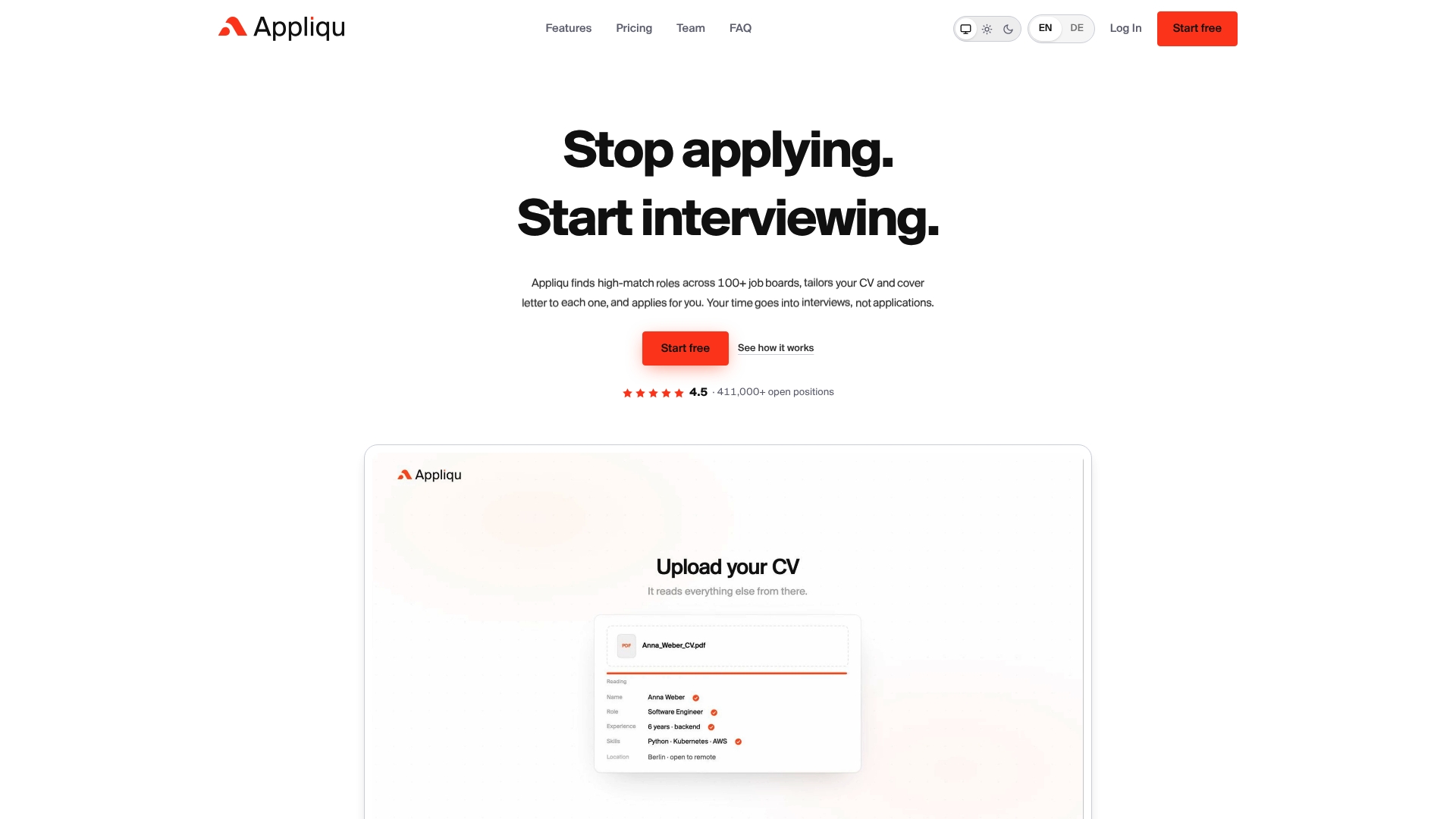
After initial checks, the platform can automate parts of the job search by scanning numerous job boards and tailoring your resume and cover letter to each posting automatically, using semantic matching rather than keyword counting. Start with the free checker to confirm your baseline, then see what automated, tailored applications look like from there.
Sources
- Optimizing Your Resume for Applicant Tracking Systems | Columbia Career Education
- ATS Resume Optimization Guide: 7 Best Practices for 2026 | KINETK
- ATS Resume Optimization: Complete 2026 Strategy Guide
FAQ
How do I pass my resume through an ATS?
Use a single-column layout with standard section headings, place contact information in the body text rather than a header, match keywords from the actual job posting in your summary and skills section, and save the file as a text-based DOCX or PDF. Test the result by pasting it into a plain-text editor to confirm the reading order holds up.
Is 80% a good ATS score?
Yes, a score around 80% on most checkers generally indicates a strong, submission-ready resume with only minor formatting or keyword gaps left to address.
How do I pass an ATS resume checker?
Run your resume through an automated checker to spot keyword gaps and formatting flags, then pair that with a manual plain-text copy test to catch parsing issues tools sometimes miss, and fix formatting problems before adjusting keywords.
Is 65 a good ATS score?
A score near 65% usually points to real, fixable issues, often in formatting or keyword coverage, and it's worth another round of edits and a re-test before you submit that version to employers.
What's the fastest way to check if my resume will pass ATS screening?
Copy your resume into a plain-text editor and read it top to bottom for order and missing sections, then run it through a tool like Appliqu's free ATS checker for a keyword and formatting analysis.